

Running an insurance agency means dealing with an overwhelming number of leads, clients, policies, and renewals. Managing these details efficiently is crucial to your agency’s success. However, without the right system in place, you may miss out on key opportunities or, even worse, lose leads altogether.
This is where an Insurance CRM comes in — particularly GoHighLevel, a powerful tool designed for insurance agents and agencies. Whether you’re new to GoHighLevel or looking to optimize its features, setting up the CRM for your insurance agency will significantly improve efficiency and conversion rates.
In this article, we’ll guide you through the process of setting up your GoHighLevel Insurance CRM, including pipelines, tags, and workflows. By the end of this guide, you’ll have a fully operational CRM designed to manage leads, quotes, renewals, and follow-ups with ease.
Key Takeaways
- Pipelines help track leads from initial inquiry to policy renewal, ensuring smooth movement through the sales process.
- Tags allow you to segment clients and leads based on their needs, making it easier to target communications.
- Workflows automate tasks such as lead nurturing, follow-ups, and appointment booking, saving time and improving conversion rates.
- GoHighLevel offers automation, which means you can spend more time closing deals and less time on administrative tasks.
- The CRM integrates seamlessly with your agency’s calendar, communications, and email/SMS systems to create a unified workflow.
What is GoHighLevel and Why Is It Perfect for Insurance Agencies?
Before we dive into setting up your insurance CRM in GoHighLevel, let’s quickly discuss why GoHighLevel is such a great fit for insurance professionals.
GoHighLevel is an all-in-one CRM and marketing automation platform designed for agencies of all types. For insurance agencies, this platform streamlines client management, leads, appointments, and follow-up processes, all while automating key tasks.
Here’s what GoHighLevel offers that sets it apart:
- Integrated CRM: Manage all your leads and clients in one place.
- Automated Pipelines: Track your leads through customizable stages and ensure nothing falls through the cracks.
- Email and SMS Automation: Stay in touch with leads and clients via automated emails and text messages.
- Appointment Scheduling: Book consultations and follow-ups directly from the CRM.
- Workflows: Automate time-consuming processes such as quote generation, renewals, and client notifications.
In short, GoHighLevel provides insurance agents with a centralized platform to manage all aspects of their agency, so they can focus on what matters most — closing deals and providing excellent customer service.
Step 1: Setting Up Pipelines in GoHighLevel
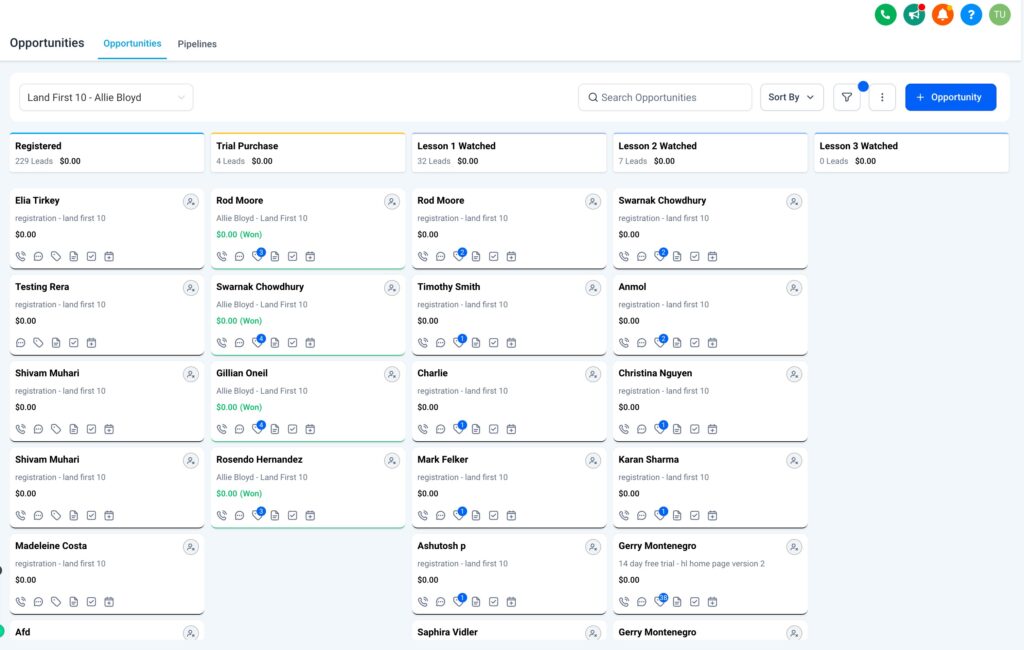
Pipelines are a critical feature for insurance agencies. They represent the different stages of your sales process, from the first point of contact to closing a deal and managing renewals.
What Are Pipelines?
A pipeline is essentially a visual flow of leads and clients through various stages in the sales process. In GoHighLevel, pipelines are customizable, meaning you can tailor them to fit your specific insurance sales process.
For example, you can create a pipeline with stages like:
- Lead Capture: The point where new leads come into your system, usually from forms, ads, or referrals.
- Qualification: The stage where leads are assessed to determine their suitability for different insurance policies.
- Quote Request: Clients requesting a quote for a policy.
- Policy Binding: Leads that have accepted the quote and are ready to purchase the policy.
- Renewal: Clients who are coming up for policy renewal.
- Follow-Up: Clients who need follow-up to maintain or close the deal.
By having pipelines set up, you can track leads from initial inquiry to policy renewal, making it easier to manage clients at different stages of the insurance lifecycle.
How to Set Up Pipelines in GoHighLevel
- Log in to your GoHighLevel account and navigate to CRM > Pipelines.
- Click Create New Pipeline and give it a name (e.g., “Insurance Sales Process”).
- Define the stages for your pipeline, such as Lead Capture, Quote Request, Policy Binding, etc.
- Set a default stage for incoming leads, so they are automatically placed in the first stage.
- Customize the stages by dragging and dropping them to organize the pipeline according to your process.
- Save and start using your pipeline to track leads!
Step 2: Organizing with Tags
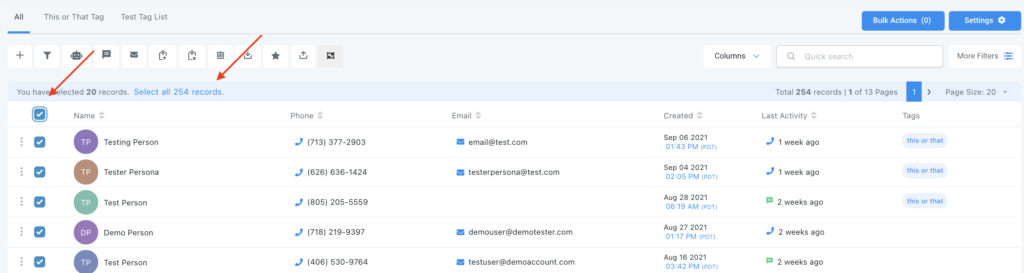
Tags help you segment your contacts, allowing for better targeting and management. Tags can be used to classify leads and clients based on their insurance needs, status, or source.
Why Tags Are Important
For an insurance agency, tags allow you to easily track and segment leads by:
- Policy Type: Auto, Home, Life, Health, Commercial, etc.
- Lead Source: Facebook, Google, Referral, etc.
- Lead Status: Hot, Warm, Cold.
- Lead Stage: Quote Requested, Appointment Scheduled, Policy Bound, etc.
By using tags, you can easily filter your contacts and create targeted communication campaigns.
How to Add Tags
- Go to Contacts in your GoHighLevel dashboard.
- Select a contact, and in the contact’s profile, click Add Tag.
- Choose a tag category, like “Auto Insurance” or “Hot Lead.”
- Apply the tag to organize your contacts into a specific group.
- Use filters to view contacts with certain tags for targeted workflows or campaigns.
Step 3: Setting Up Workflows
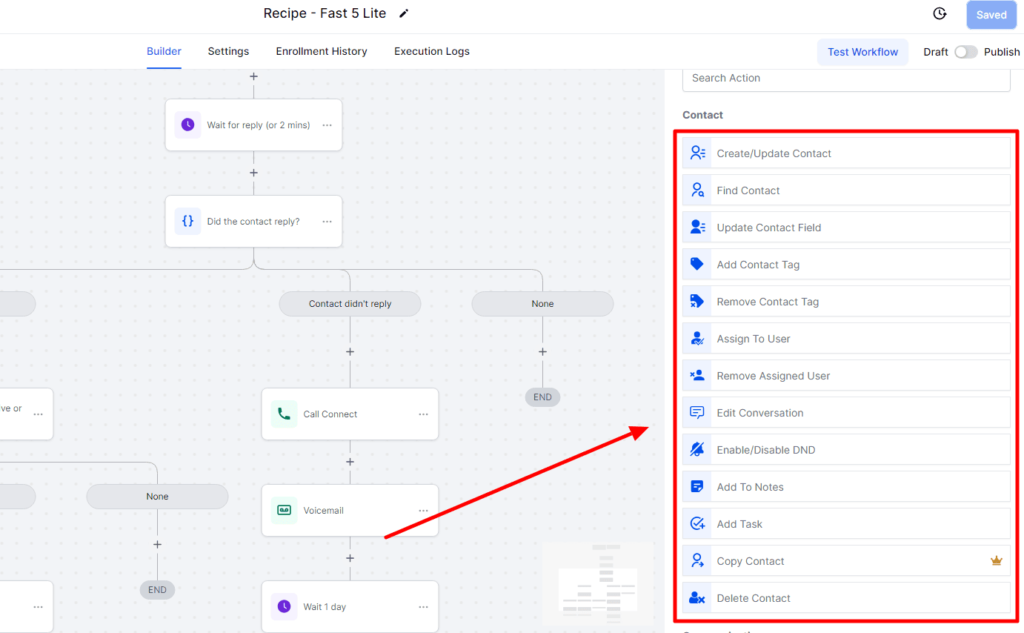
Workflows are a key feature of GoHighLevel, allowing you to automate critical processes like lead follow-up, quote requests, policy reminders, and renewal notifications. With workflows, you can ensure that every lead is nurtured, every renewal is reminded, and no task is left incomplete.
What Are Workflows?
Workflows in GoHighLevel are automated actions that take place when specific triggers occur. These triggers could be:
- A new lead fills out a form on your website
- A client’s policy is nearing renewal
- A lead books an appointment
Once a trigger occurs, the workflow automatically runs actions like sending an email, text, or even moving a lead to a different pipeline stage.
How to Set Up Workflows in GoHighLevel
1. Navigate to Automation > Workflows in your GoHighLevel account.
2. Click Create New Workflow.
3. Choose a trigger event, like “New Lead Submitted” or “Quote Requested”.
4. Add actions to your workflow, such as:
- Send an automated email or SMS.
- Assign a task to a team member.
- Move the lead to the next pipeline stage.
5. Test your workflow to ensure it runs smoothly.
Here are a few examples of workflows you can create:
- Lead Follow-Up Workflow: When a new lead is captured, the workflow automatically sends them a welcome email and books a follow-up call.
- Policy Renewal Reminder: Automatically send reminders via email and SMS 30, 15, 7, and 1 day before the client’s policy is set to expire.
- Quote Request Workflow: Once a lead requests a quote, send them a detailed breakdown of their options and ask them to schedule a time to discuss further.
By automating these tasks, you can save hours of manual work and ensure that your clients are always engaged and informed.
Pricing Breakdown for GoHighLevel CRM Setup
Now that we’ve walked through the setup process, let’s talk about pricing. GoHighLevel offers various plans that can help you scale your insurance agency’s operations:
| Feature | Included |
|---|---|
| Custom Pipelines and CRM Setup | ✅ |
| Automated Workflows | ✅ |
| Tagging System for Contact Management | ✅ |
| Email/SMS Automation | ✅ |
| Unlimited Contacts & Lead Management | ✅ |
| Appointment Scheduling Integration | ✅ |
| 24/7 Support and Setup Assistance | ✅ |
| Full Access to Insurance-Specific Templates | ✅ |
Pricing:
Starter Plan: $97/month (Basic CRM + 1 Pipeline + Automated Tasks)
Unlimited Plan: $297/month (Includes all features and unlimited workflows)
Frequently Asked Questions
Can I import my existing contacts into GoHighLevel?
Do I need any coding skills to set up my CRM?
Can I use GoHighLevel for multiple insurance types?
Does GoHighLevel offer customer support?
Final Thoughts
Setting up a complete insurance CRM in GoHighLevel is one of the best investments you can make to scale your agency. By using pipelines, tags, and automated workflows, you’ll streamline your processes, nurture leads more effectively, and provide better service to your clients.
With GoHighLevel, you get a comprehensive, all-in-one platform designed specifically to handle the needs of insurance agents. Whether you’re a solo agent or part of a larger team, GoHighLevel provides everything you need to run a more efficient, successful insurance agency.
So, are you ready to get started with your GoHighLevel CRM setup and take your insurance agency to the next level?
👉 Get Started Today – Start Automating Your Insurance Agency with GoHighLevel