A GHL theme for the day shift and the late renewals
This GHL theme library restyles the entire GoHighLevel interface. Choose from 27 themes, lay one of 11 UI kits over it, and give your team a dark mode switch for the evenings spent on renewal lists.
- Dark mode on every theme
- Your logo and colours
How is a GHL theme different from a GoHighLevel white label?
GoHighLevel’s white label swaps the logo and domain; a GHL theme changes the whole interface. The theme restyles the sidebar, header, cards, tables and buttons, so the account feels like your agency’s own system rather than a rebadged CRM.
Use both together: HighLevel’s white label for your domain and app name, and the customizer for everything people actually look at all day.
Try every GHL theme, UI kit and dark mode
The first row shows twelve themes agencies pick most; switch to all 27. Then try the Studio Gradient kit in dark mode.
Loading the live preview
Showing Alpine Glass. The real customizer engine is restyling a copy of the GoHighLevel dashboard. Click the menu, collapse it, or open the Save contact window inside the frame.
All 27 GoHighLevel themes
Each swatch shows the sidebar colour and the accent colour. Names are the ones you will see in the editor.
- Midnight EmberDark navy sidebar, orange energy
- Arctic CleanWhite top bar, crisp blue SaaS look
- Ocean GlassFrosted glass over an ocean photo, right dock
- Forest FinanceDeep green, side accents, calm & trustworthy
- Neon NightsPurple-to-pink glow, bold and modern
- Mono StudioBlack & white brutalist, top bar
- Sunset CoralWarm peach sidebar, round & friendly
- Royal Navy & GoldPremium navy with gold highlights
- Lavender DreamPastel lilac, soft & airy
- Slate CorporateNeutral slate & indigo, compact & efficient
- AuroraGlass sidebar over a northern-lights photo
- Desert SandEarthy beige & terracotta, top bar
- Midnight SkyDeep violet night, twinkling stars on the login
- Editorial StudioCrisp black & teal, magazine-style login
- Cinematic CityAmber city lights, full-screen photo login
- Care DeskFriendly support blue, split photo login
- Prism ProDark indigo with a colour-ring login
- Pastel MeshSoft light theme, morphing colour login, top bar
- Alpine GlassFrosted glass over misty mountains
- Creative AgencyCrisp white & rose, top bar, photo-wall login
- Golden HourWarm peach & amber, sunrise-hills login
- Deep SpaceMidnight blue & cyan, orbiting-planets login
- Cyber LimeNear-black with electric lime, light-beam login
- Holo PearlPearl white with pink-violet foil, holographic login
- Graphite ProDark mode , soft graphite with an indigo glow
- Obsidian OLEDDark mode , true black with a vivid raspberry glow
- Midnight MintDark mode , deep navy with fresh mint accents
11 UI kits that work with every theme
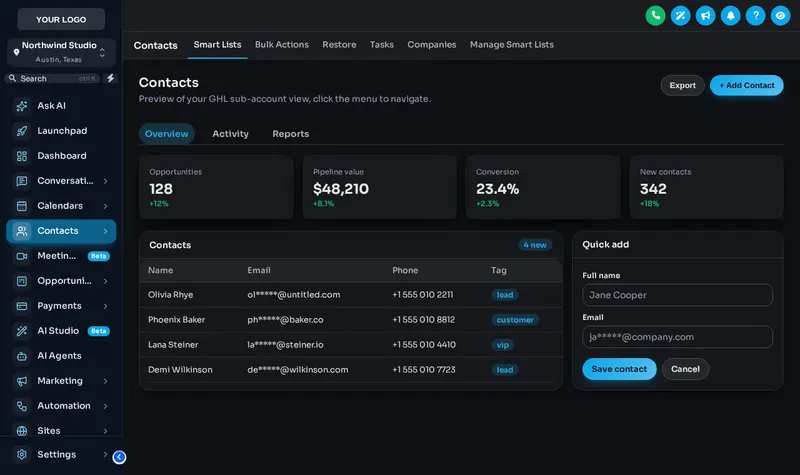
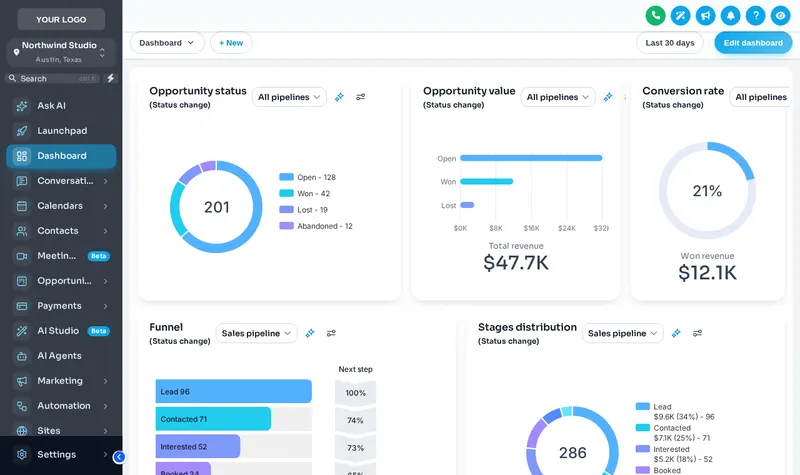
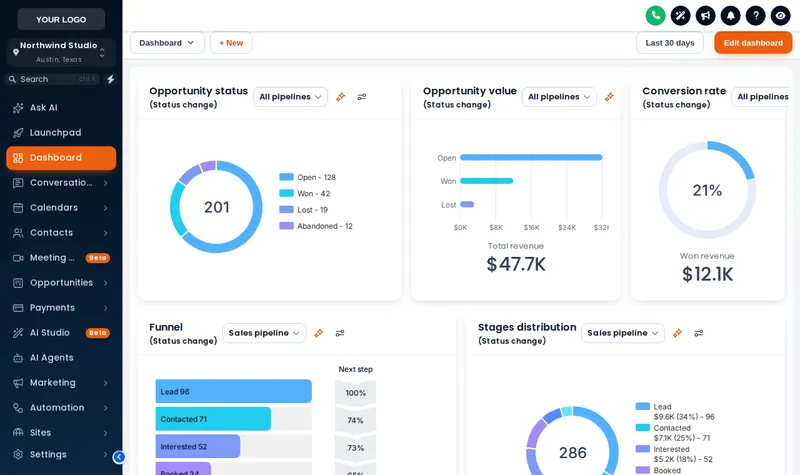
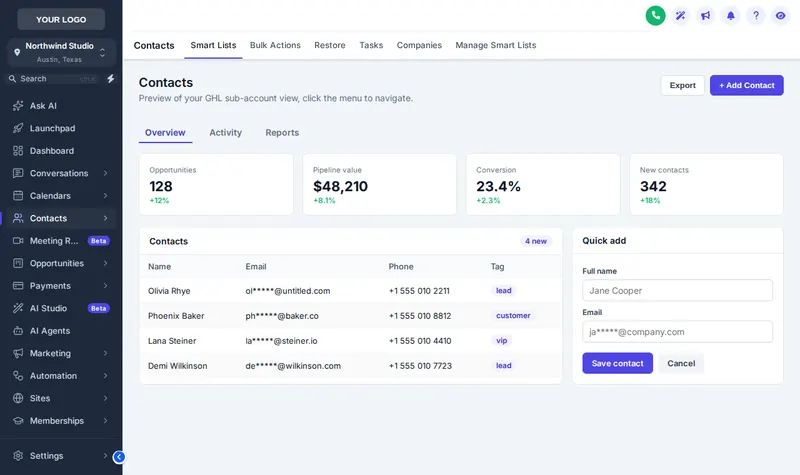
The same contact list, before and after the dark switch
How to switch on a GHL theme with dark mode
Open the theme editor
Log in to your customizer account and start a new design, or open the one you already published.
Choose a theme and a UI kit
Click through 27 themes on the preview, then lay any of the 11 UI kits over it to change cards, buttons and tables.
Add your logo and colours
Upload the agency logo, set the primary colour from your brand guide and decide whether staff get a dark mode switch.
Publish
Save. Every GoHighLevel page that loads your install line shows the new theme on its next refresh.
Theme and dark mode questions
Pair your theme with a matching login page design, also in Essential Cover.
What is a GHL theme?
Can I add a dark mode to GoHighLevel?
What is the difference between a theme and a UI kit?
Can the menu sit across the top instead of on the left?
Which themes suit an insurance agency?
Will clients in sub-accounts see the theme?
What is privacy mode?
Can I change the theme after publishing?
Other endorsements on the same account
- Login page designsfrom Essential Cover
- Dashboard designsfrom Full Cover
- Pipeline board designsfrom Full Cover
- Menus and navigationfrom Full Cover
- Contact actions barfrom Full Cover
- Calculatorsfrom Premium Policy
- Popupsfrom Premium Policy
- Notifications and social prooffrom Premium Policy
- Floating widgetsfrom Premium Policy
- Packages and pricingall three schedules
- GoHighLevel dashboard theme overviewstart here
Insurance Snapshot for GHL is independent and is not affiliated with, endorsed by or sponsored by HighLevel, Inc. GoHighLevel and HighLevel are trademarks of their owner. The GHL Customizer adds your own CSS and JavaScript on top of GoHighLevel through its Custom JS and CSS settings; it does not change HighLevel’s software. We are not an insurance carrier, broker or producer, and nothing on this page is insurance, legal or compliance advice.
Make the whole account look like the agency
Essential Cover includes all 27 themes, 11 UI kits, dark mode and every login design for $237, paid once.
One-time payment, lifetime access. Login emailed within minutes (max 24 hours). Secure card payment by Stripe.